
The short answer
Anyone who wants to run ChatGPT Ads now has a self-serve route: OpenAI Ads Manager. It works like the ad tools marketers already know, with an account, a verification step, billing, campaigns and bids, but a few details differ, and some of them can cost you weeks if you miss them. This guide walks through ChatGPT Ads Manager in order: what it is, what to prepare, how to set up the account, how to build a first campaign, and how to read the results.
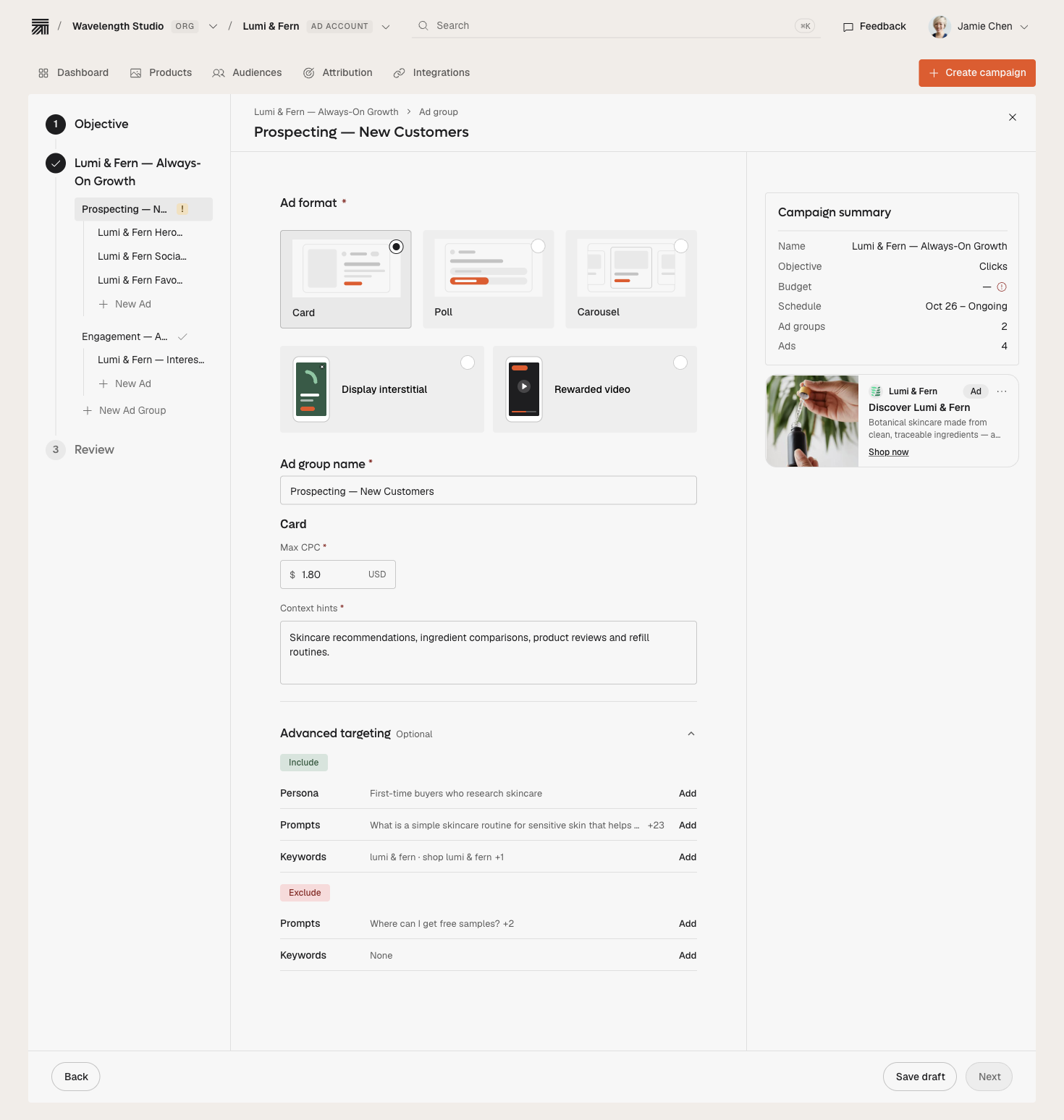
What Is ChatGPT Ads Manager?
ChatGPT Ads Manager is OpenAI's self-serve advertising tool at ads.openai.com. It is currently labeled a Beta. Advertisers whose billing entity is in a supported country can open an account, pass a review, add a card and launch campaigns that appear below ChatGPT's answers, labeled as sponsored. OpenAI began testing ads in the US in February 2026, and early access ran through a limited pilot. Self-serve is now the default way in.
Two limits shape every plan. Ads can appear for users on the Free and Go plans only; Plus, Pro, Business, Enterprise and Edu accounts see none. And ads are not eligible near sensitive or regulated topics, such as personal health, mental health and politics.
Before You Open ChatGPT Ads Manager: A Checklist
- A work email for the OpenAI account, and one person who will own the advertiser account.
- The business name, website, logo and industry exactly as you want them shown.
- The legal entity that will be billed, with its country, currency and time zone. These cannot be changed later.
- A credit card for the billing profile.
- A landing page for each product or offer, because the page itself helps decide whether an ad fits a conversation.
- A check that your products are allowed under OpenAI's ad policies.
- A plan for measurement: conversion events and UTM parameters, ready before the first dollar is spent.
ChatGPT Ads Manager Account Setup in Five Steps
| Step | What you do | What to watch |
|---|---|---|
| 1. Create the account | Sign in with an OpenAI account tied to your work email, or create one during sign-up | One person per business should create the advertiser account, then invite colleagues |
| 2. Business details | Enter business name, website, logo, industry, country, currency and time zone | Country, currency and time zone cannot be changed; enter the entity that will be billed |
| 3. Verification | Answer a few questions through the identity provider; the account goes into a review queue | Review can take time and runs in a rolling queue; open the account weeks before any launch date |
| 4. Account info | Once access is granted, set the account name and logo as they should appear in the ad | Ads will not serve until this is done |
| 5. Billing and team | Create a billing profile, add a card, and invite teammates under Settings | Agencies need a separate, verified account for each advertiser |
Scroll to compare all columns
Building Your First Campaign in ChatGPT Ads Manager
Once the account is active, the campaign flow has four decisions.
- Objective. Views buys impressions with a maximum CPM bid, for reach. Clicks uses a maximum CPC bid, for traffic. Conversions optimizes toward a supported conversion event; with click billing you still pay for valid clicks, not conversions.
- Ad group and context hints. Bids are set at the ad-group level. Instead of keywords, you write context hints: plain descriptions of the conversations or topics where your product is relevant. Hints are not exact-match keywords and do not guarantee delivery.
- Creative. Each ad carries an advertiser name, a favicon, a headline, a description, an image and a landing page. Keep the headline, description and landing page consistent with the hint.
- Bid and budget. For CPC campaigns, OpenAI suggests starting with a maximum bid of $3–$5 per click. Ads compete in a relevance-weighted, second-price auction, so a very relevant ad can win without the highest bid.
Organize ad groups around the job the person is doing, such as "comparing project-management tools for a small agency," not around your product list. Our guide to what ChatGPT ads cost explains how to size a test budget.
Reading Results in ChatGPT Ads Manager
Ads Manager reports impressions, clicks, spend, click-through rate, average CPC, average CPM and conversions. Impressions, clicks and CTR refresh about every 15 minutes, while spend can lag by several hours, so a zero in the spend column next to live clicks does not mean nothing has been charged. Advertisers receive aggregate data only; OpenAI does not share conversations or user-level data.
- Set up conversion measurement before launch if you plan to judge the test on outcomes.
- Add UTM parameters to every landing-page URL, so ChatGPT traffic shows up separately in your analytics.
- Judge the test on cost per qualified outcome, not click-through rate alone.
ChatGPT Ads Manager for Agencies and Larger Teams
Agencies need a separate, verified Ads Manager account for each advertiser, although one login can access several ad accounts. Larger advertisers can also ask OpenAI's sales team for support. Plan the account structure before you start, because country, currency and time zone cannot be changed after setup, and an account created under the wrong billing entity means starting again.
A Sensible First 90 Days in ChatGPT Ads Manager
- Month 1: open the account early, pick one product line, and launch two or three decision-stage ad groups, each with its own hints, headline and landing page. Start on Clicks at the suggested bid range.
- Month 2: compare ad groups on cost per qualified outcome. Rewrite the weakest hints and pages before raising bids.
- Month 3: move budget into what worked and add adjacent ad groups, or test the same message on AI inventory beyond ChatGPT.
Common ChatGPT Ads Manager Mistakes
- Entering the wrong billing entity. Country, currency and time zone are locked once set.
- Starting verification too late. Review runs in a queue, and campaigns are also reviewed before they serve.
- Sending traffic to a generic homepage. The landing page is a matching signal, so a vague page weakens the whole ad group.
- Raising bids before fixing relevance. Rewrite hints and pages first.
- Using one account for several advertisers. Agencies need a separate account for each.
ChatGPT Ads Manager or Another Route?
Ads Manager is the direct route to ChatGPT Ads. Other routes exist for teams that want help or want to reach more than one assistant: Thrad offers self-serve and managed options described on its ChatGPT ads page, and our ChatGPT ads alternatives guide and best tools for ChatGPT Ads compare the options. For a broader buyer's view, read how to advertise on ChatGPT.