
The short answer
To launch ads inside AI conversations, choose your inventory, add the product and brief to Thrad, review the generated creative, set targeting and spending limits, and check the campaign before submission. Thrad self-serve has no minimum spend. Confirm controls for the inventory you select and connect reporting to a business outcome.
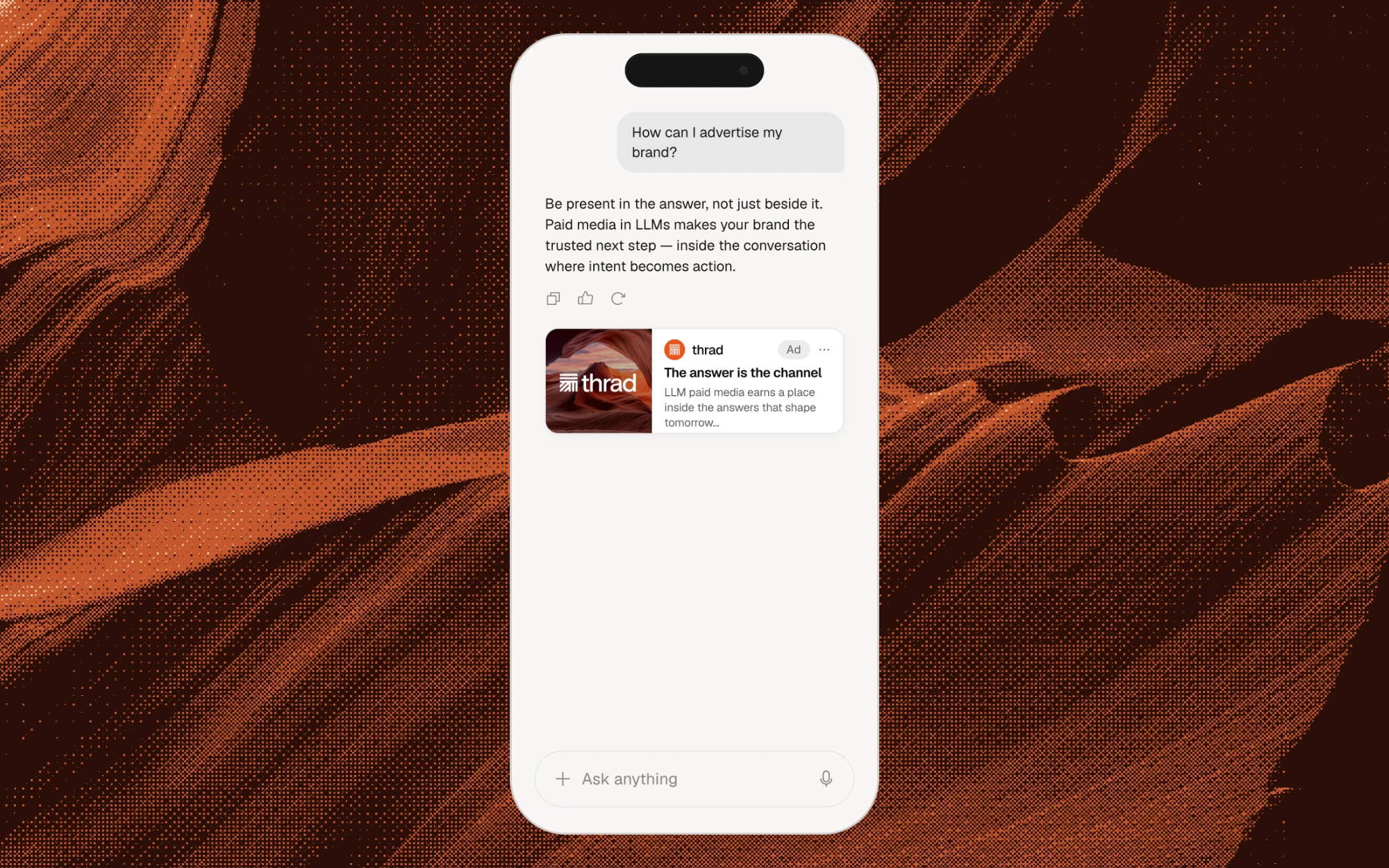
You can buy programmatic ads inside AI conversations through Thrad. Start with the product you want to promote, describe the conversations it fits, then review the creative, targeting and spending limits before launch.
Thrad is a demand-side platform for advertising in LLMs and AI chat apps. Advertisers can manage ChatGPT campaigns on Thrad alongside its own natively integrated AI-app inventory. This is Thrad’s guide to building a campaign on our platform.
Choose the inventory you want to buy
Decide whether the brief requires ChatGPT specifically or placements across participating AI apps. That choice determines which formats, targeting options and reporting you need to confirm. A control available for Thrad’s native inventory should not be assumed to work identically for ChatGPT.
If you are still choosing a buying platform, start with our programmatic advertising platform comparison. The steps below are for a buyer who is ready to build a campaign with Thrad.
Prepare a brief the campaign can use
Bring a destination URL, accurate product information, usable creative assets and a clear next action. The destination should deliver what the ad offers: a particular product, a booking page or a relevant trial, rather than an unrelated homepage.
Here is a hypothetical campaign brief for a coffee subscription. It is a planning example, not a Thrad customer campaign or a performance forecast.
| Decision | Example brief |
|---|---|
| Offer | A coffee subscription for people who brew at home. |
| Destination | The subscription page, including price, delivery area and cancellation terms. |
| Relevant conversations | Choosing beans, comparing coffee subscriptions and planning regular home deliveries. |
| Poor fit | Looking for café jobs, commercial roasting equipment or a one-time café visit. |
| Market | Only locations where the subscription can be delivered. |
| Business outcome | A completed subscription purchase, recorded in the store’s analytics. |
Scroll to compare all columns
Set the spending limit separately. Thrad self-serve advertising has no minimum spend, but the amount you choose still needs to fit the question you want the campaign to answer. There is no universal test budget that proves a new channel works.
Draft the campaign from your product and brief
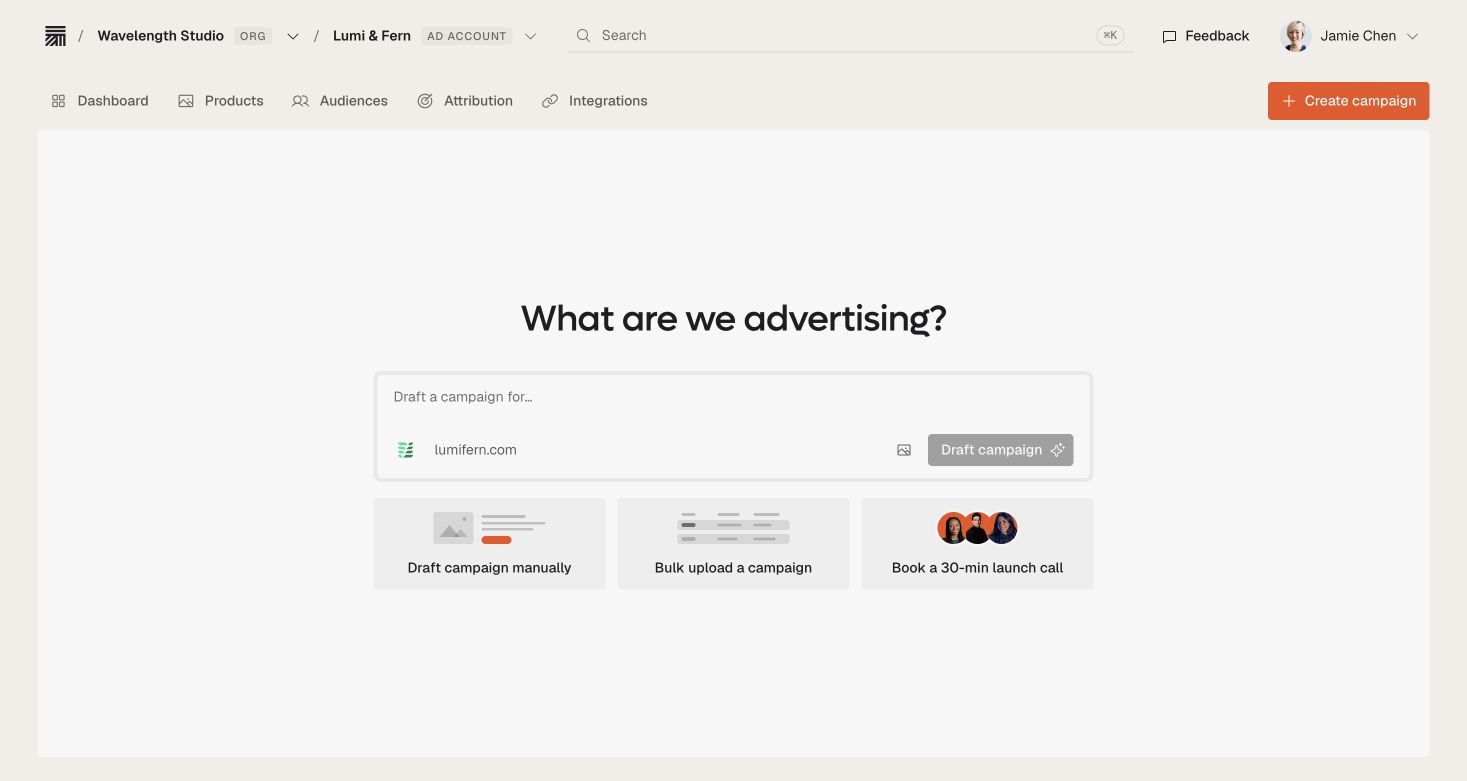
Open the ad account and select Create campaign. In the composer, add the product URL or select products you have already added. Describe what you want to promote and select Draft campaign to prepare it with AI. You can also choose Draft campaign manually. Keep the request specific enough that a colleague could check whether the draft followed it.
For the coffee example, the brief could read:
Promote our coffee subscription to people comparing beans and recurring home deliveries. Send visitors to the subscription page. Use the delivery locations, price and product details on that page. Avoid café job searches and commercial equipment inquiries.
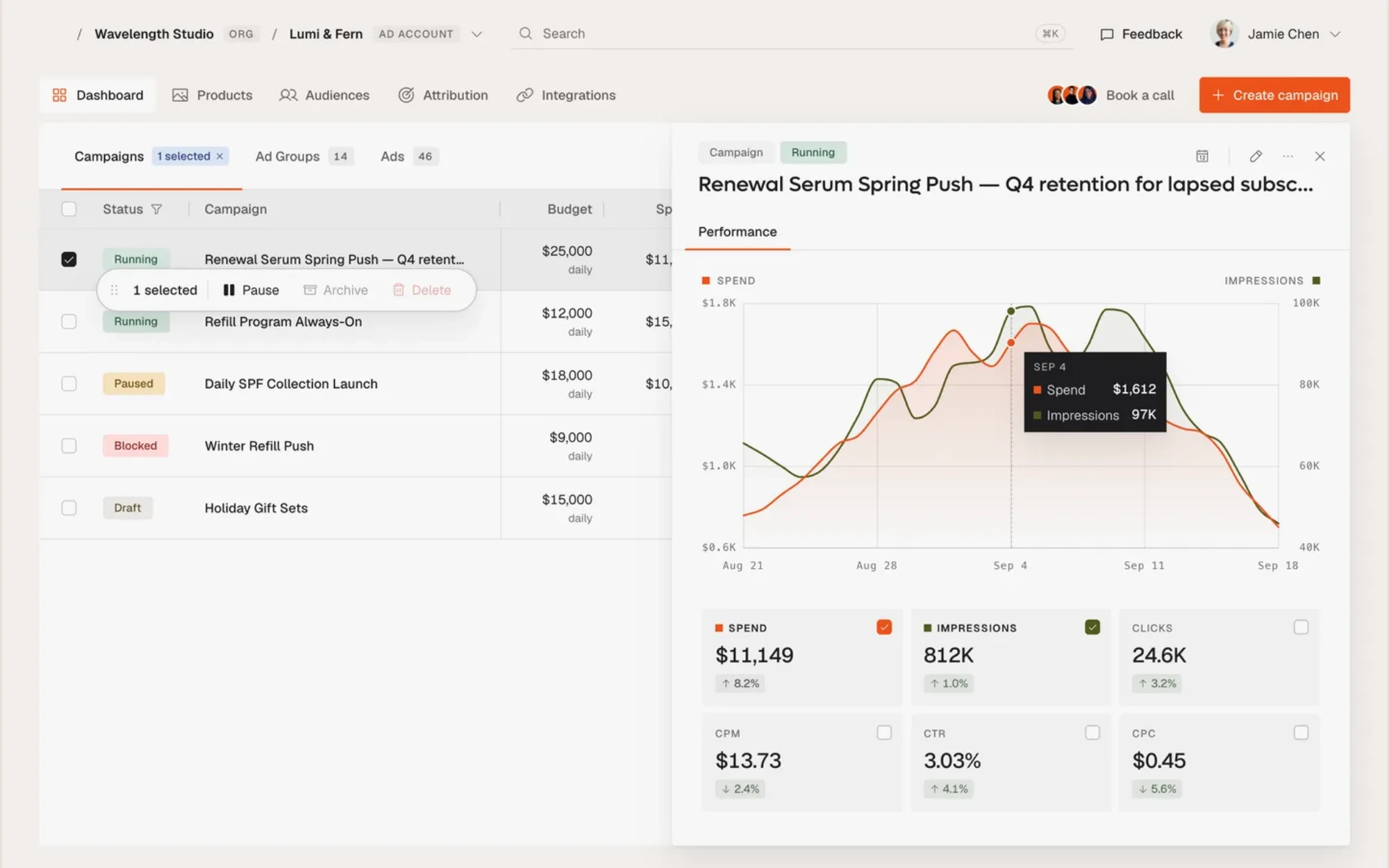
Review the generated copy against the source product page. Remove unsupported claims, check the destination URL and confirm that images show the advertised product. The screenshots in this guide show the actual Thrad frontend in local development mode with illustrative data. They do not show a launched campaign or customer results.
Set the goal, budget and schedule
Choose the campaign goal that matches the action you need. Thrad’s builder includes reach, clicks, conversions and app installs. For the coffee example, the business outcome is a subscription purchase; the landing page and measurement setup must support that outcome.
Check the bidding type as well as the goal. CPC means cost per click; CPM means cost per thousand impressions. A conversion goal does not mean you only pay when someone buys. Read the billing unit and maximum bid before approving the campaign.
Name the campaign so the team can identify it later. Set the budget, schedule and locations, then check whether the budget is a total amount or a recurring allowance. For a first test, agree on a spending limit and review date.
Target the conversations where your offer fits
Use Context hints to describe the situations in which the product would be useful. Advanced targeting includes Persona, Prompts and Keywords, with negative prompts and negative keywords for exclusions. These are Thrad campaign-builder controls; confirm the supported settings for the inventory you are buying.
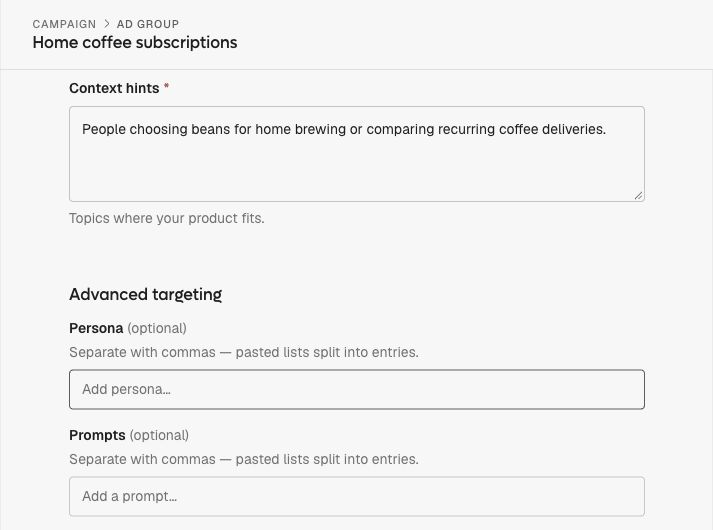
Write the context in the customer’s language. “People comparing coffee subscriptions for home delivery” gives the campaign a clearer task than “coffee enthusiasts.” Carry the same intent into the ad and its destination.
| Setting | Coffee subscription example |
|---|---|
| Context hints | People choosing beans for home brewing or comparing recurring coffee deliveries. |
| Prompt example | Which coffee subscription lets me choose beans for a filter brewer? |
| Relevant keywords | Coffee subscription; coffee bean delivery. |
| Negative prompt example | How do I apply for a job at a café? |
| Negative keyword examples | Barista jobs; commercial roaster. |
Scroll to compare all columns
Treat these examples as targeting instructions, not a promise to reach an exact prompt or every person asking it. Avoid adding loosely related terms just to make the audience larger. More eligible conversations are only useful if the offer fits them.
Our guide to AI ad targeting explains the role of conversational context in more detail.
Review the placement before launch
Preview each ad in its selected format. Check that the headline and image still make sense together, the call to action matches the landing page and the sponsored placement is clearly identified. Review the ad gallery for format examples and Thrad’s advertising standards for suitability requirements.
- Confirm the inventory and locations. A platform-wide capability is not a guarantee that every placement is available to this campaign.
- Check the total or recurring budget, bid unit, maximum bid and start and end settings.
- Read the context hints and exclusions again alongside the actual ad. They should describe the same buyer need.
- Test the destination and your conversion event. Preserve campaign identifiers through redirects so a purchase can be connected to its source.
- Review the campaign summary and funding details before submitting it.
After submission, check the campaign status and resolve any review, funding or setup issue shown in your account. A completed draft does not mean ads are already serving.
Put conversational intent to work
Explore how to run ads inside AI conversations, choose a budget and measure the response.
Explore self-serve campaignsMeasure the campaign against its business goal
The campaign dashboard includes spend, impressions, clicks, CTR and CPM. Separate delivery, response and business results: impressions tell you whether ads were served. Clicks show that people followed the ad. Completed purchases tell you whether those visits produced the outcome in the brief.
For the coffee campaign, compare campaign spend with attributed subscription purchases in your analytics. Check that a purchase event fires once and that its attribution window is understood. A good click-through rate alone does not establish profitable acquisition, and attributed sales alone do not prove incremental sales.
If the campaign receives clicks but few purchases, inspect the offer, landing page, delivery restrictions and checkout before changing the targeting. If delivery is low, check status, eligibility, budget and bid settings first. Change a specific weak point and record what you changed. Use that record in the next review.
Use the AI advertising measurement guide to plan that review. When the brief, destination and tracking are ready, start a campaign.

Common questions
Can AI advertising target specific types of conversations?
Yes. Thrad’s campaign builder lets advertisers describe relevant contexts and add prompts, keywords and exclusions. Match those instructions to the offer and confirm which settings apply to the inventory in your campaign.
Is there a minimum spend to launch with Thrad?
Thrad’s self-serve platform has no minimum spend. You choose the campaign budget and must review the applicable bidding and funding requirements before launch.
Can I buy ChatGPT ads through Thrad?
Yes. Advertisers can buy ChatGPT ads and manage ChatGPT campaigns directly on Thrad, alongside Thrad’s own natively integrated inventory beyond ChatGPT. Confirm the formats and controls available for the specific campaign.
Can I launch a campaign immediately?
You can begin creating a campaign in self-serve. Delivery depends on the campaign’s status, eligibility, funding and available inventory. Creating or submitting a draft does not guarantee that an ad serves immediately.